
All your travel. One place.
Not just your flight. The airport, the connection, the ride into town and every trip you've flown, together in one calm app.

Check-in is open
American 100 to London. Check in on the American app.
Gate 8, Terminal 8
Posted for AA 100 to London.
Your plane is on its way
The aircraft for AA 100 is inbound, a little late.
A look inside
See it before you fly. Every screen.
Real screens from the app, with a made-up traveller. Swipe through the trip: the flight, the airport, the ride into town and the record of everywhere you've been.
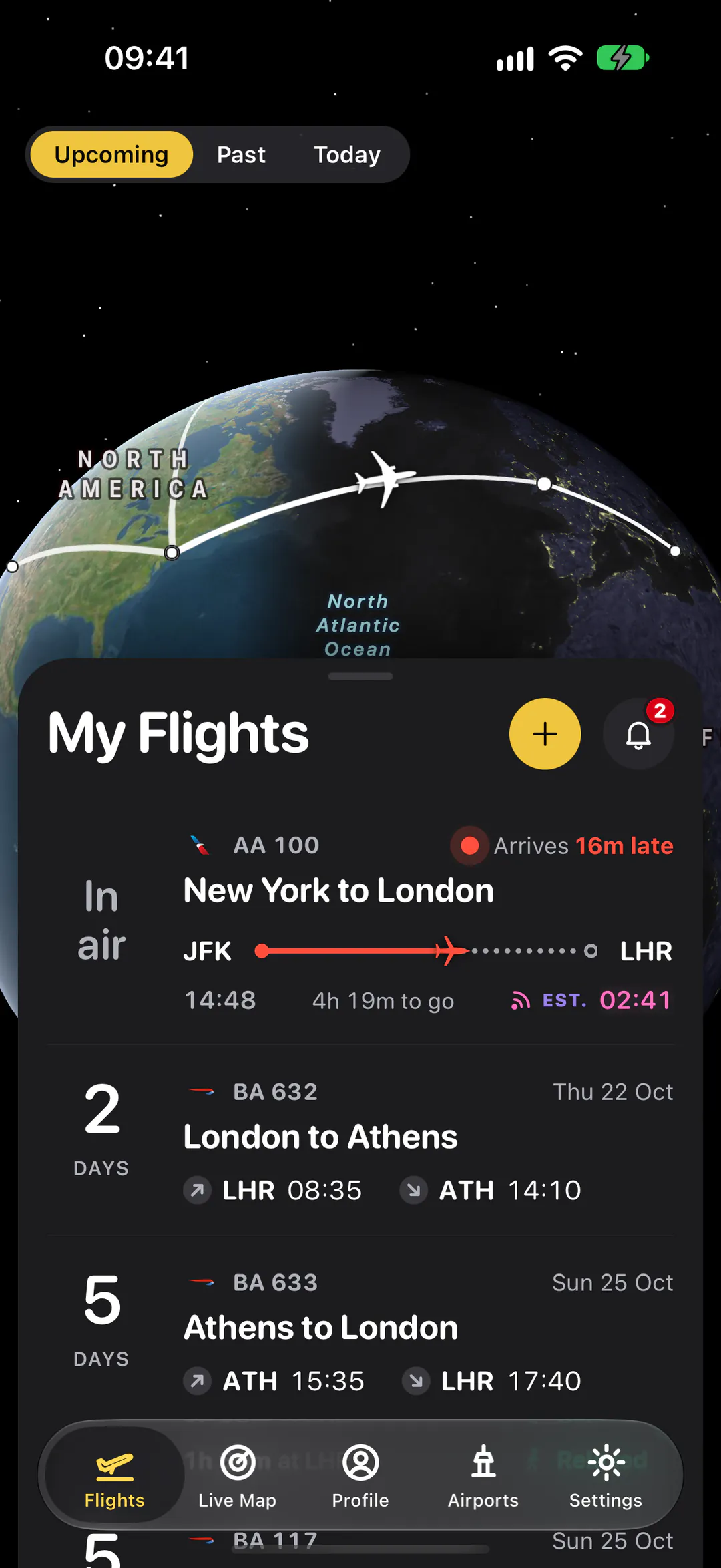
My Flights
Every trip on a 3D globe, with what's in the air right now.
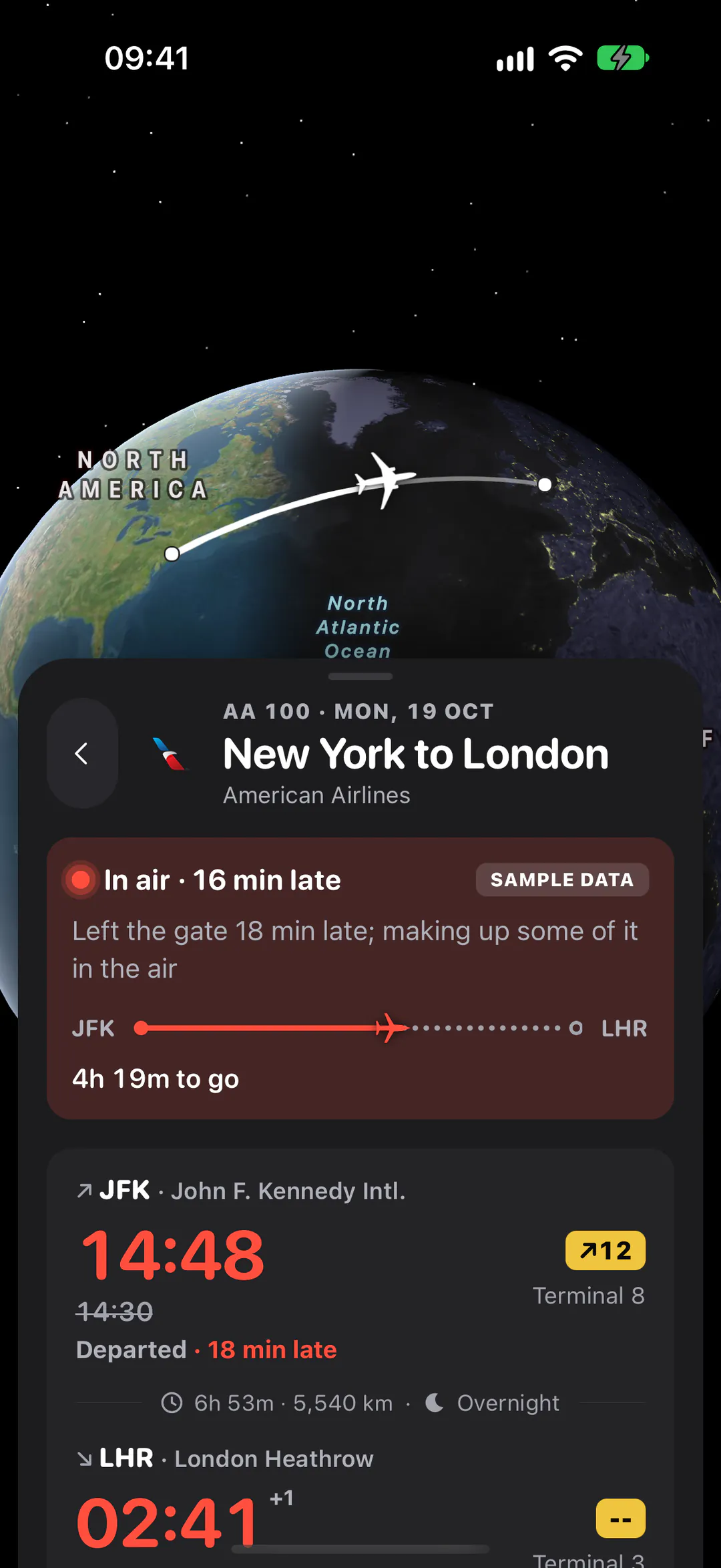
Your flight
Gate, terminal and the real time it leaves, as soon as it changes.
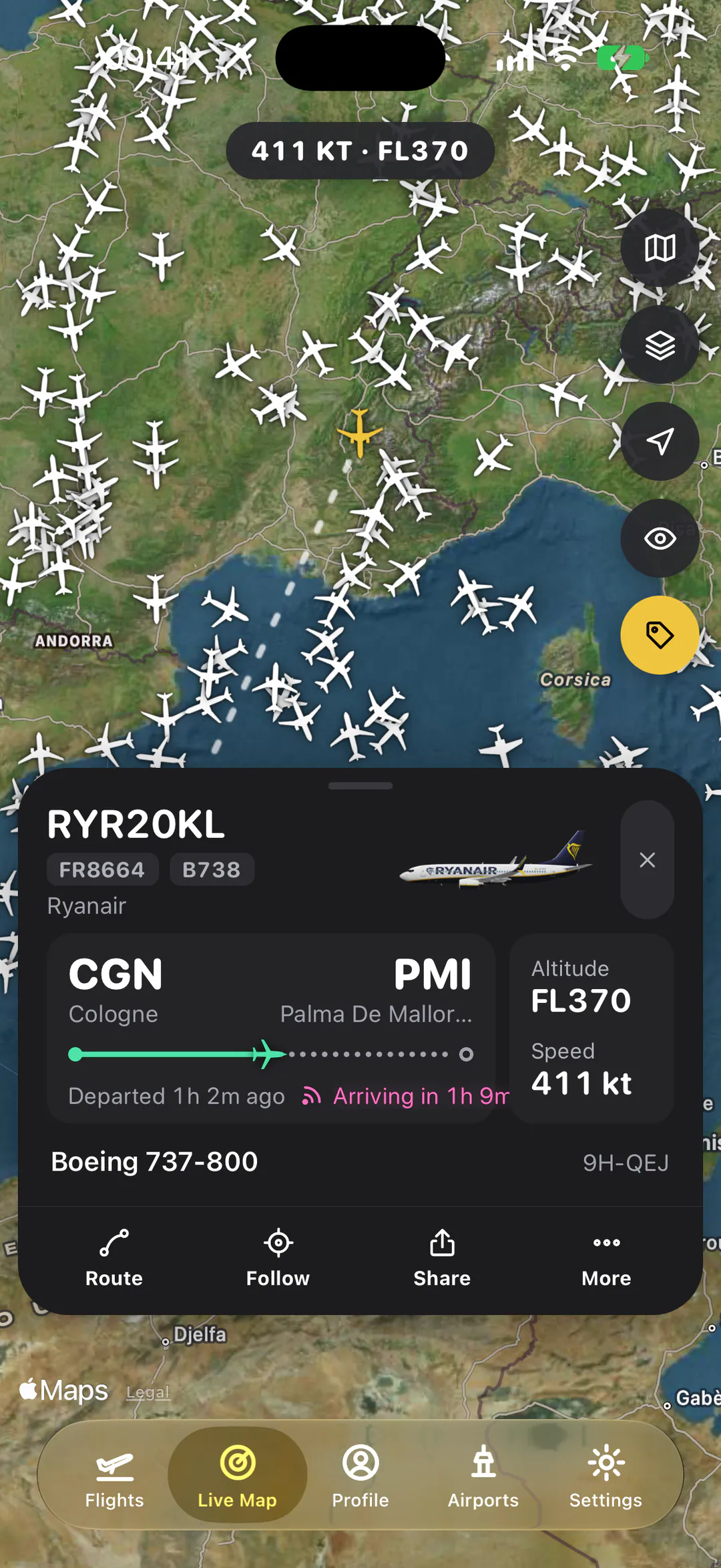
Live map
Every aircraft in the sky. Tap one to see where it's going.
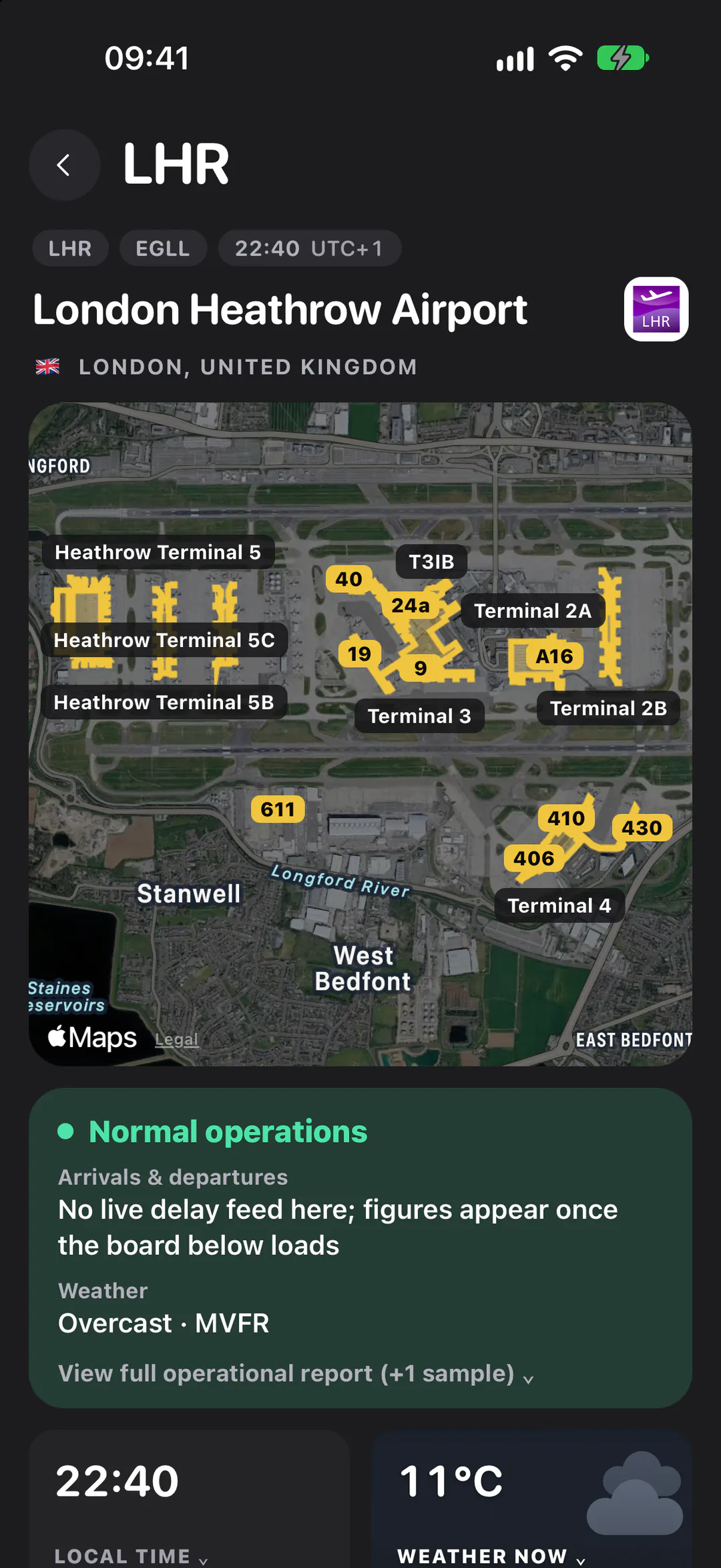
The airport
Terminal maps with the gates drawn on, the weather and how it's running.
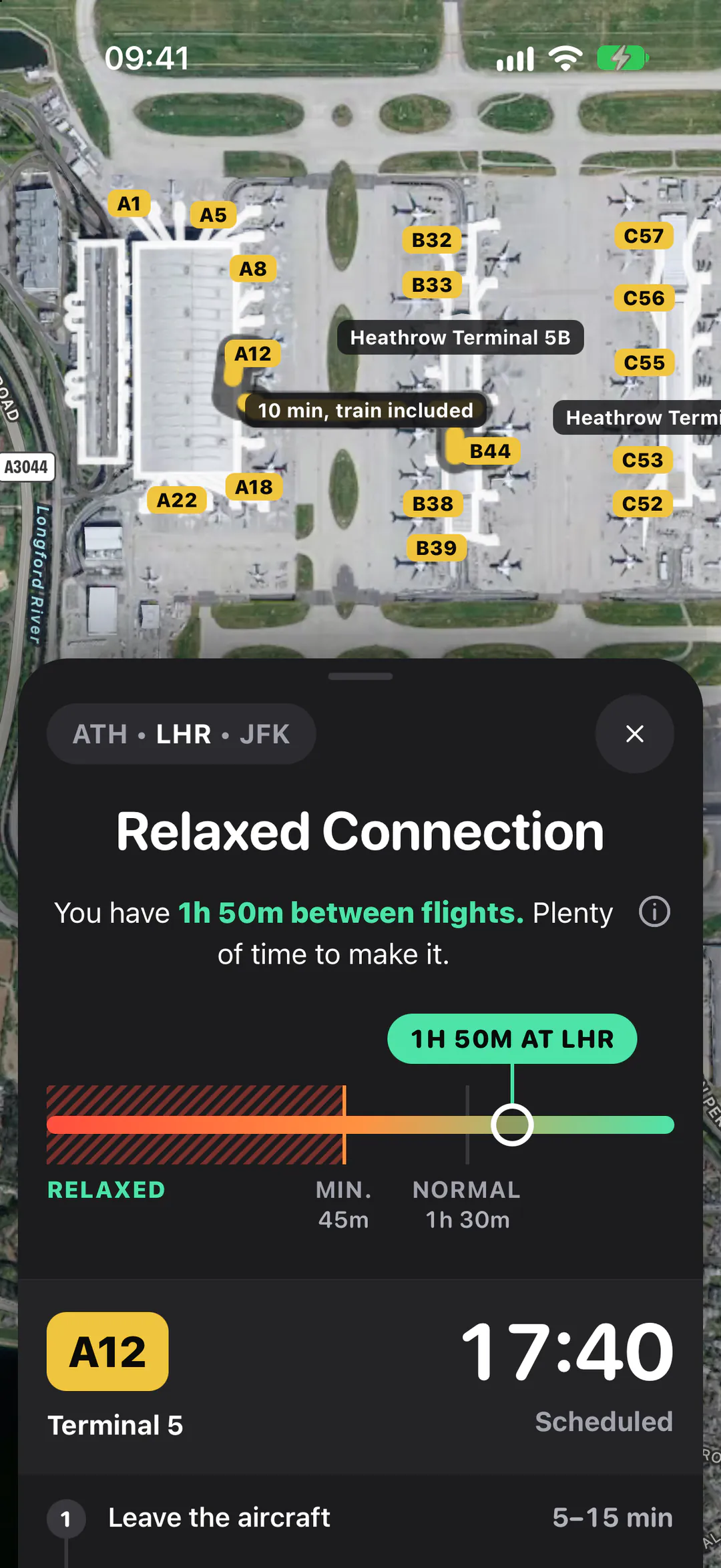
Connections
The walk between gates, and whether you'll make it.
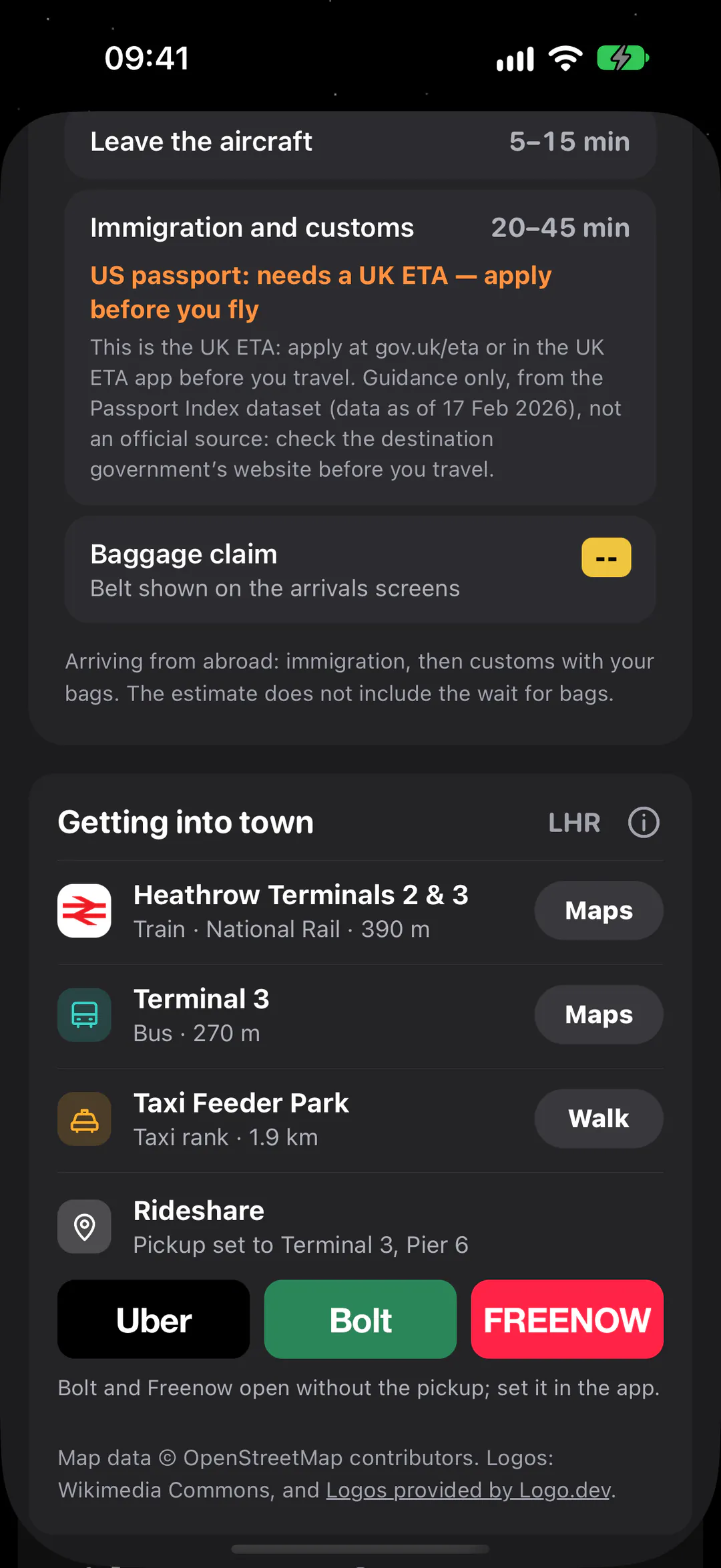
Into town
Train, bus, taxi, and the ride apps that work where you land.
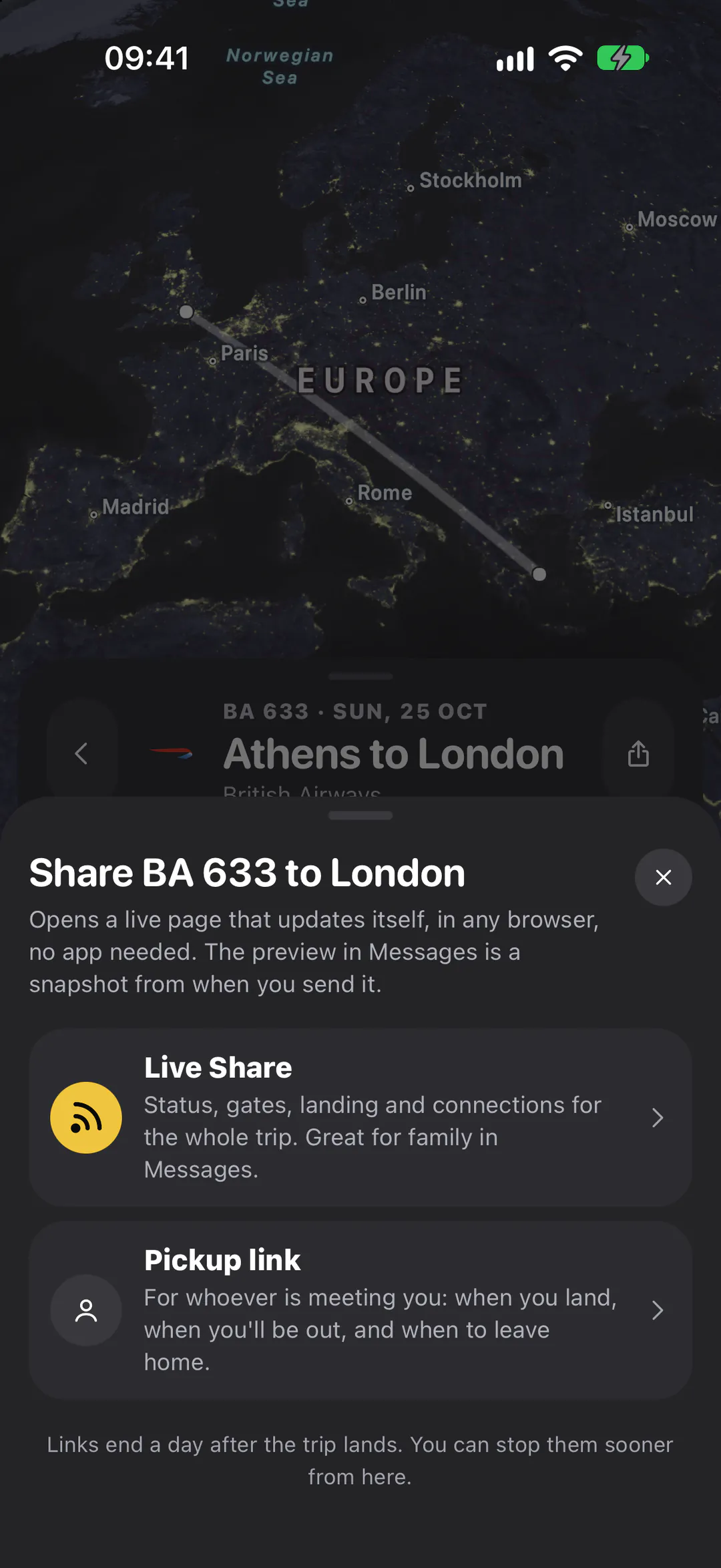
Live Share
Family follows the whole trip in any browser. No app needed.
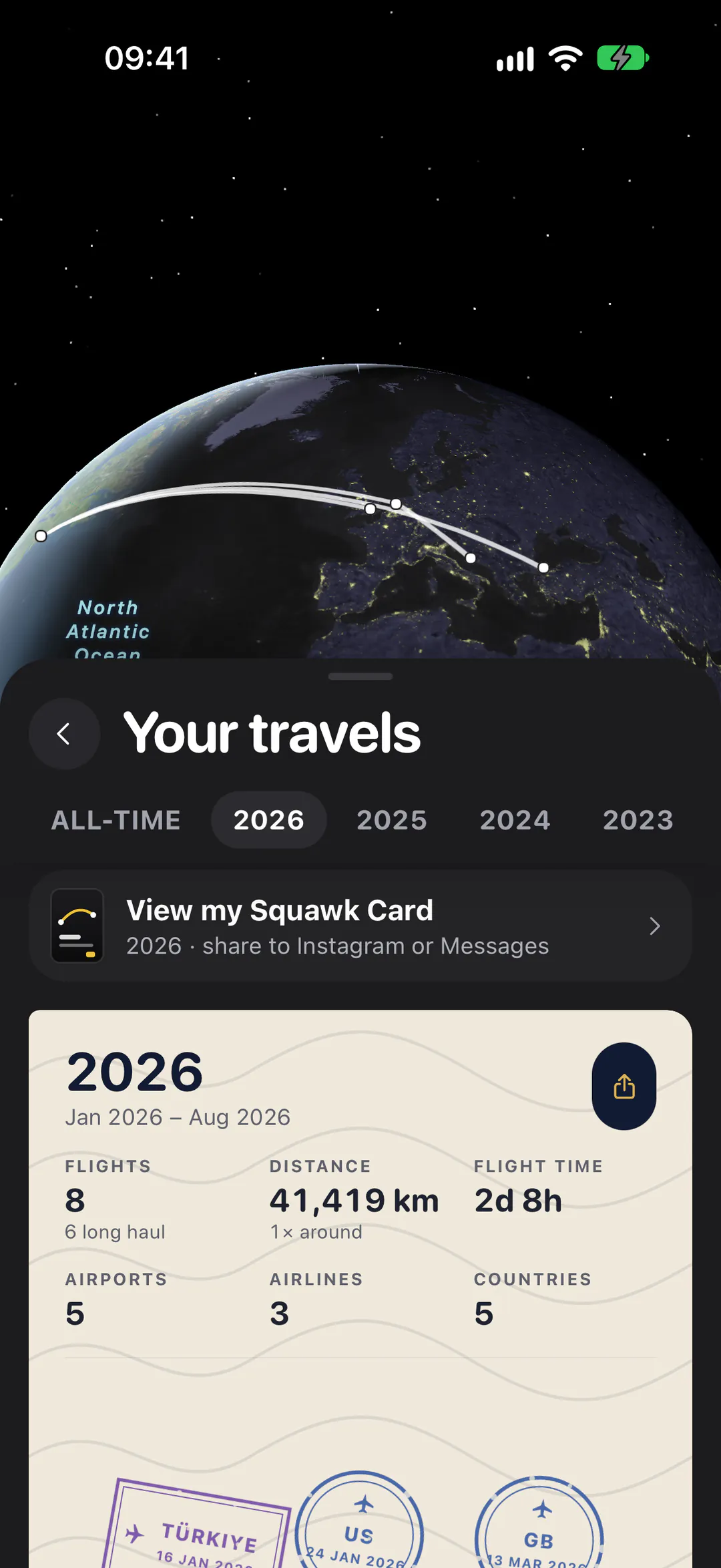
Your travels
Every route you've flown, year by year.
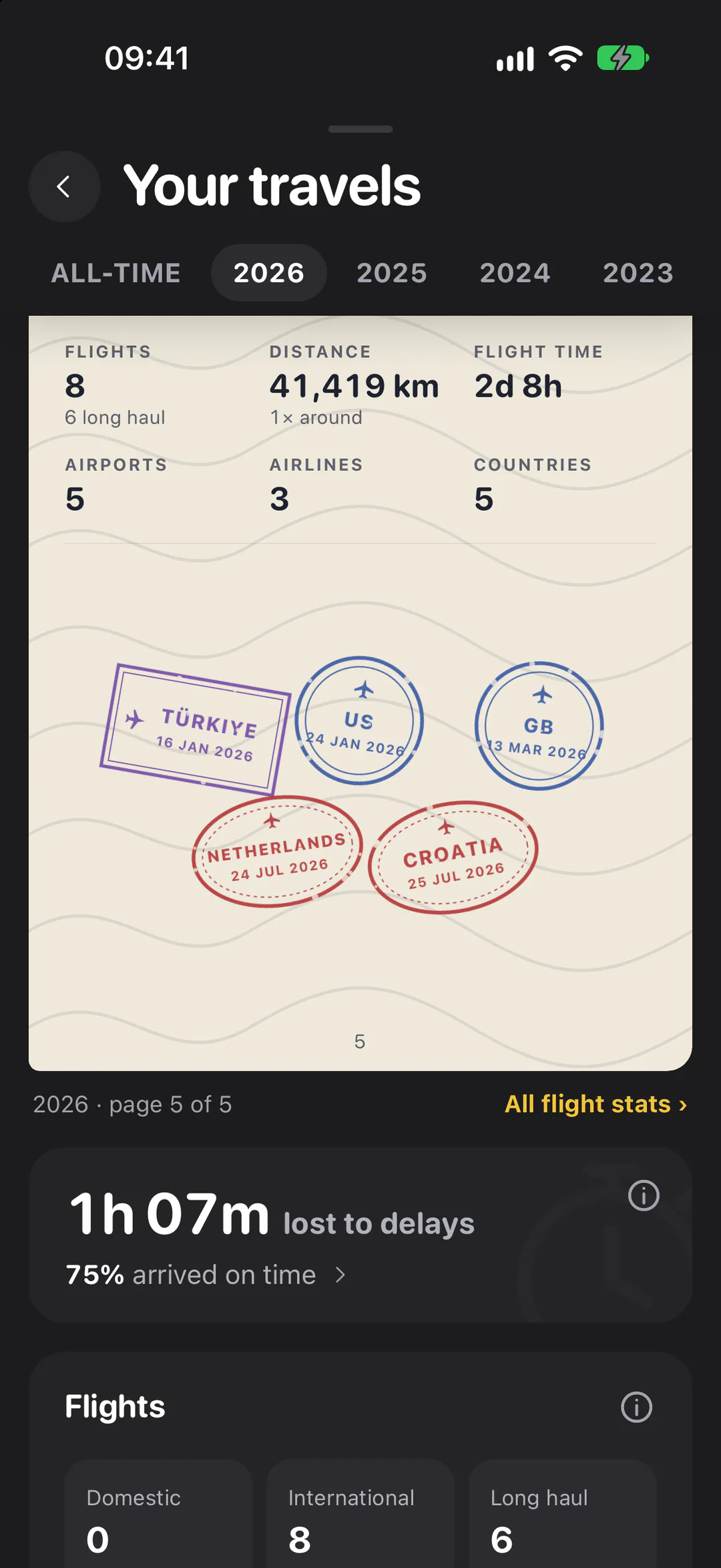
Passport
A stamp for every country, and the stats behind them.
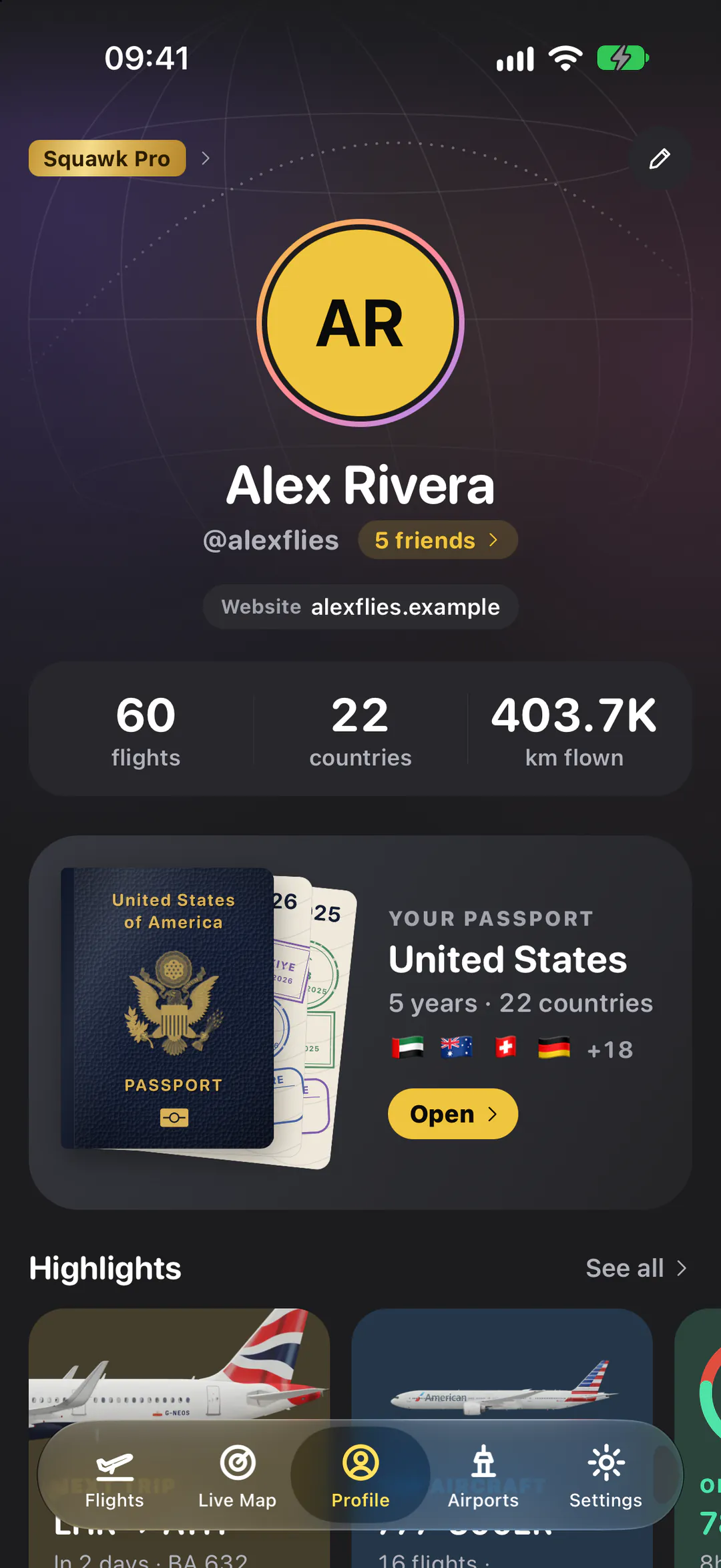
Profile
Your flights, friends and highlights in one place.
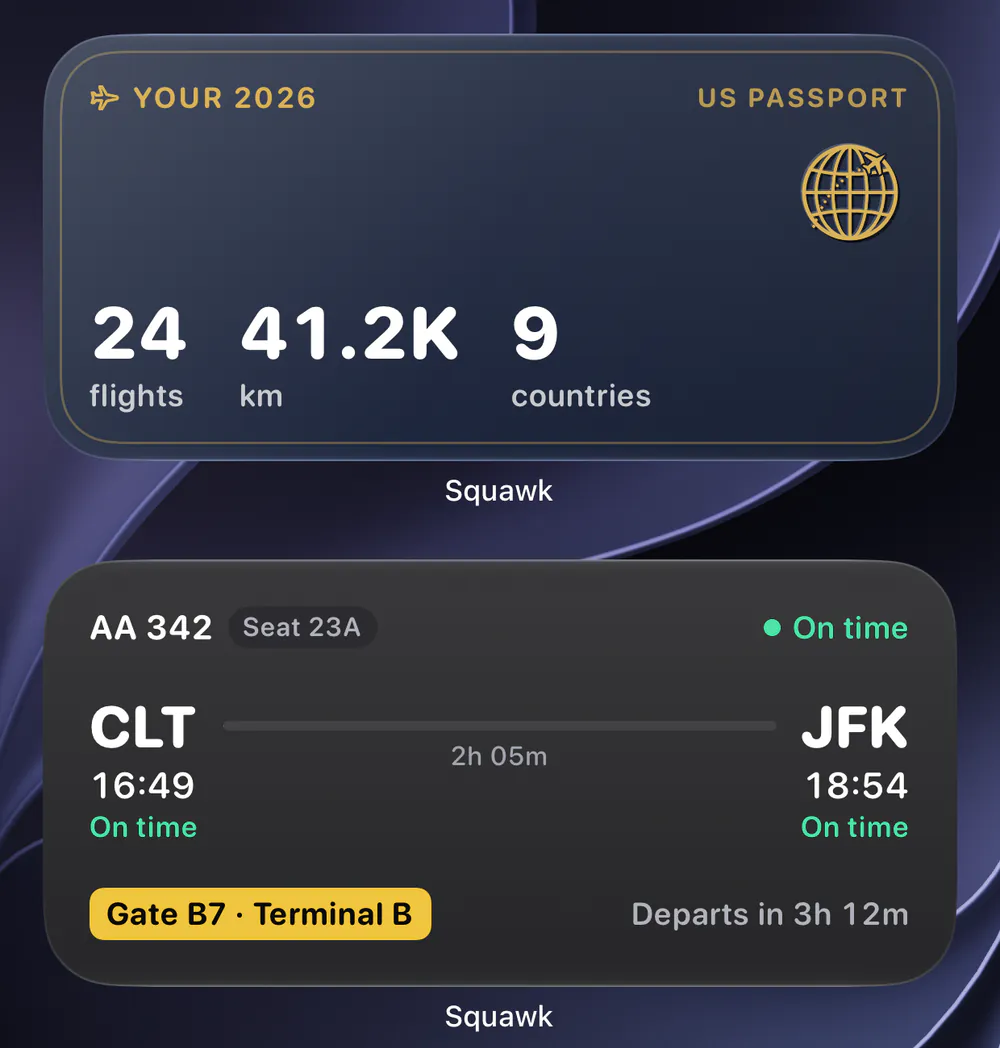
Widgets
Your next flight and your year on the Home Screen.
What's inside
Everything about the trip. One app.
Live aircraft, the plane you're waiting for, terminal maps, the ride into town and every stamp in your passport.
Live Map
Every aircraft in the sky, live.
- Running 16 min late

Where's my plane
See where your plane is coming from, and if it’s late.
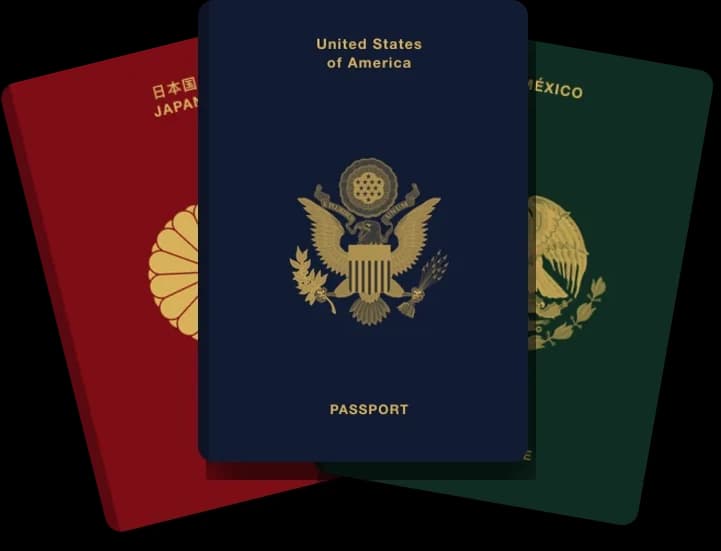
Passport
A stamp for every country.
- Uber
- lyft
- Bolt
- DiDi
- Grab
- Careem
- FREENOW
- Cabify
- Kakao T
- Ola
- inDrive
- gojek
- 99
- Yassir
Ride apps
The right ride app, wherever you land.
Terminal maps
Every gate, drawn on the airport.
Mom is watching your trip
Landed, 12 min early
TP 202 is on the ground in Lisbon.
Live Share
Family follows along, no app needed.
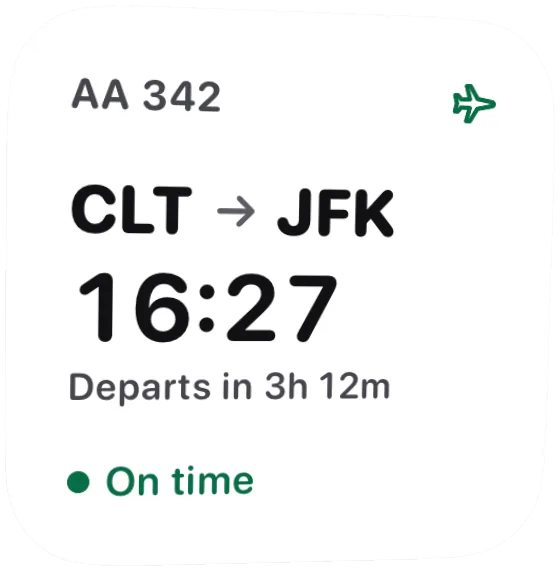
Widgets
Your next flight at a glance.
Squawk, by the numbers
- 4688 airports with their runways and radio frequencies, for spotters
- 432 airports with a terminal map, every gate drawn on
- 160 airports with their lounges listed, by concourse and nearest gate
- 33 ride apps across 126 countries, matched to wherever you land
Friends & family
Your people, in the loop.
Share the whole trip once, and the people who care get the moments that matter: the morning you fly, takeoff and landing. They open a live page in any browser; no app, no account.
Alex is flying today
TP 202 to Lisbon leaves Newark at 18:40.
Alex took off
Wheels up from Newark, on time. Lands 06:55 tomorrow.
Alex landed, 12 min early
TP 202 is on the ground in Lisbon.
More reasons
The details, handled.
Family Pro for 6
Everything in Pro for you and up to 5 others, on one plan.
Private by design
No ads. Delay forecasts learn from how flights ran, never from who flew them.
Home and Lock Screen
Widgets for your next flight and your year, plus Live Activities in the Dynamic Island.
Bring your history
Add flights by route, number or by hand, and import your history from other apps. Free shows the last year; Plus and Pro, every flight.
Rides in 120+ countries
The ride apps that really run where you land, most used first.
Check-in reminders
When online check-in opens, a briefing the morning you fly, two hours out, boarding, and a nudge before the doors close. Sent by your phone.
Plans
Free to start. More when you fly more.
The essentials are free. Plus and Pro add the live layer and the power tools, with a 7-day free trial on yearly plans. Prices are shown in your currency in the App Store.
Squawk Free
The whole trip, planned and remembered.
- Free for everyone, for good
Includes
- Flight log & imports
- Travels & passport
- Check-in reminders
- Live times & gates
- and 10 more
Squawk Plus
Free trialThe live layer: forecasts, boards, disruptions and Squawky AI.
- Monthly or yearly
- 7-day free trial on yearly
- Or buy once, for life
Everything in Free, plus
- Delay forecasts
- Live Activities
- Pickup links
- App icons and colours
- and 8 more
Squawk Pro
Free trialEvery tool: widgets, aircraft history and rebooking.
- Monthly or yearly
- 7-day free trial on yearly
- Or buy once, for life
- Family: Pro for 6 people
Everything in Plus, plus
- Widgets
- Aircraft history
- Flight history
- Rebook search
- and 6 more
Questions
Good questions.
The short answers. Anything else, the Support page has it.
Is Squawk on Android, or on the web?
Squawk is an iPhone app. There was a web version; it has been retired so all the work goes into the app. Live Share and pickup links still open in any browser, so the people following your trip don't need an iPhone.
How do I get into the beta?
Join the beta list with the email address on your Apple Account. When a place opens, Apple's TestFlight sends an invite to that address; install TestFlight, tap the invite, and Squawk installs like any other app.
Prefer to wait for the finished thing? Choose “Get notified at launch” and we'll email you once, when it's on the App Store.
Is it free?
The core of Squawk is free: your flight log and imports, your travels and passport, live times and gates for your own flights, live aircraft worldwide, airport maps, lounges and transit, and your first flight gets the paid flight features too. Plus adds delay forecasts, boards, disruptions, ride apps, Live Activities and Squawky AI; Pro adds widgets, rebooking and aircraft history. Yearly plans start with a 7-day free trial, and Family shares Pro with up to 6 people. See plans.
Do the people following my flight need the app?
No. A Live Share or pickup link opens as a page that updates itself in any browser. You can stop sharing at any time, and links end on their own a day after the trip lands.
Where does the data come from?
Live aircraft positions come from community ADS-B receivers; schedules, gates and airport boards from aviation data providers; maps from Apple Maps and OpenStreetMap. Delay forecasts are Squawk's own estimates, and the app always marks them as estimates, never as fact.
What happens to my data?
Your flight log is yours: export it whenever you like. How a flight ran (its times, never who flew) helps Squawk's delay forecasts, anonymously. The privacy policy has the details.
What's next?
More of the trip in the same place: booking, deeper lounge information, more ground transport and richer history for every flight and airport. Beta testers see it first.
Take the whole trip with you.
Squawk is in beta on iPhone. Join now and a TestFlight invite comes to your inbox, or leave your email and hear the day it reaches the App Store.